One Engine, Multiple Surfaces
Recurring giving, invoice payment plans, and customer deposits use the same scheduling foundation.

RECURRING PAYMENTS
SecureCare’s recurring engine quietly handles donor recurring giving, customer service payment plans, and recurring customer deposits on a nightly schedule — posting each successful charge into the same accounting system as the rest of the platform.
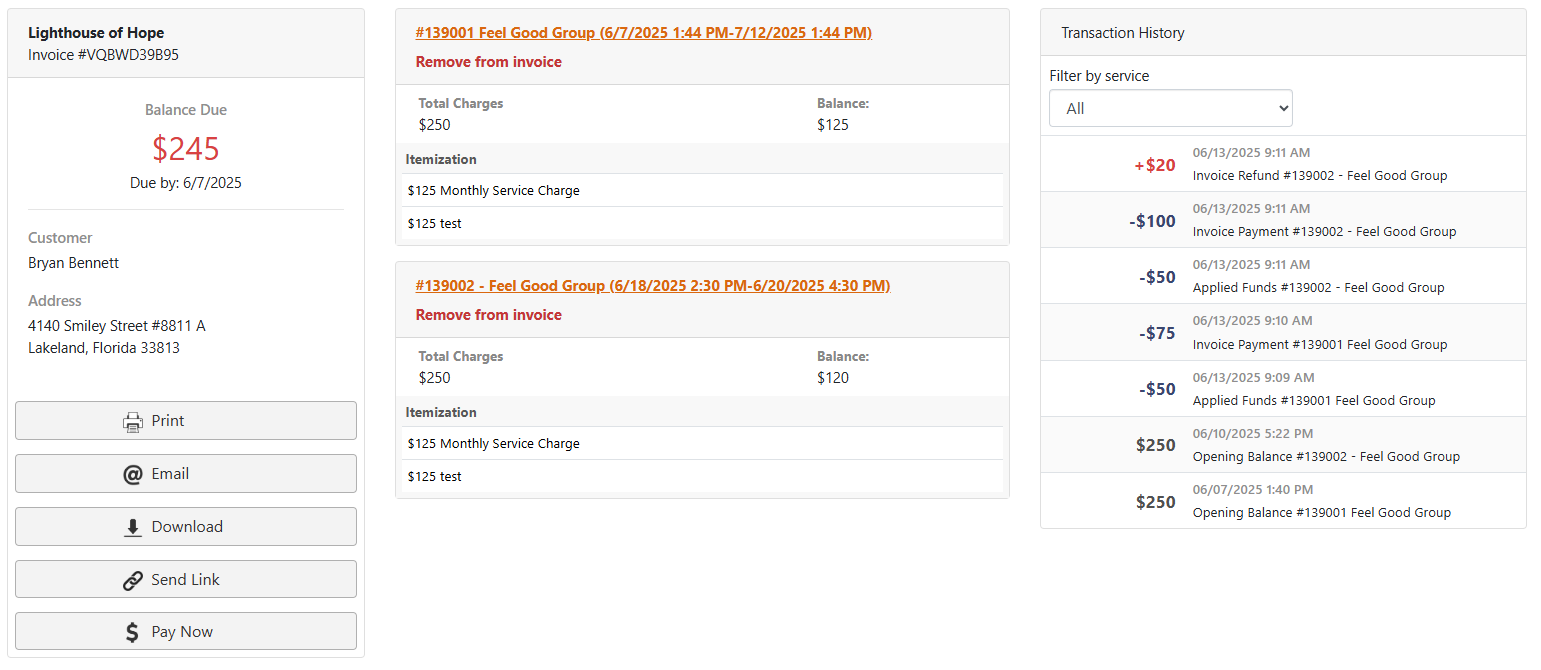
Recurring giving, invoice payment plans, and customer deposits use the same scheduling foundation.
The processor runs automatically instead of requiring staff to launch a monthly batch.
Invoice plans cap the final charge at the remaining balance and suspend when the invoice is paid.
Recurring invoice payments distribute proportionally across lines that still have balance.
Cancel the schedule and pending future charges while retaining the historical record.
HOW IT WORKS
Staff should not have to rebuild a due-date spreadsheet every month. The engine already knows the payment method, amount, destination, and cadence, so it processes the schedule and records the result automatically.
Create the recurring schedule from the donation, invoice, or customer-deposit context.
SecureCare evaluates the schedule and processes due activity.
Successful activity posts to the ledger and schedules the next run.
Cap invoice-based recurring charges at the amount still owed.
Stop future charges when the invoice is satisfied or the schedule is deliberately cancelled.
A CLOSER LOOK
Staff should not have to rebuild a due-date spreadsheet every month. The engine already knows the payment method, amount, destination, and cadence, so it processes the schedule and records the result automatically.
KEY CAPABILITIES
Run donor giving schedules created through the public donation flow.
Run recurring payments against service invoices.
Support patrons pre-loading customer account balances on a schedule.
Process due schedules automatically.
Retain the reason a scheduled charge failed.
Prevent invoice-plan overpayment at the end of the schedule.
Allocate an invoice payment across remaining line-item balances.
Support one-time setup from the public Pay Invoice flow.
Suspend the schedule and cancel pending future charges while preserving history.
CONNECTED ACROSS SECURECARE
Automate the repeatable payment work without losing the accounting history behind every charge.
PEOPLE. PURPOSE. POSSIBILITIES.