Private by Design
Only the staff member who creates the reminder sees it.

REMINDERS
SecureCare Reminders gives each staff member a personal task list with automatic due-soon and past-due states, navigation warnings, live overdue notifications, filters, and links back to the record that needs attention.
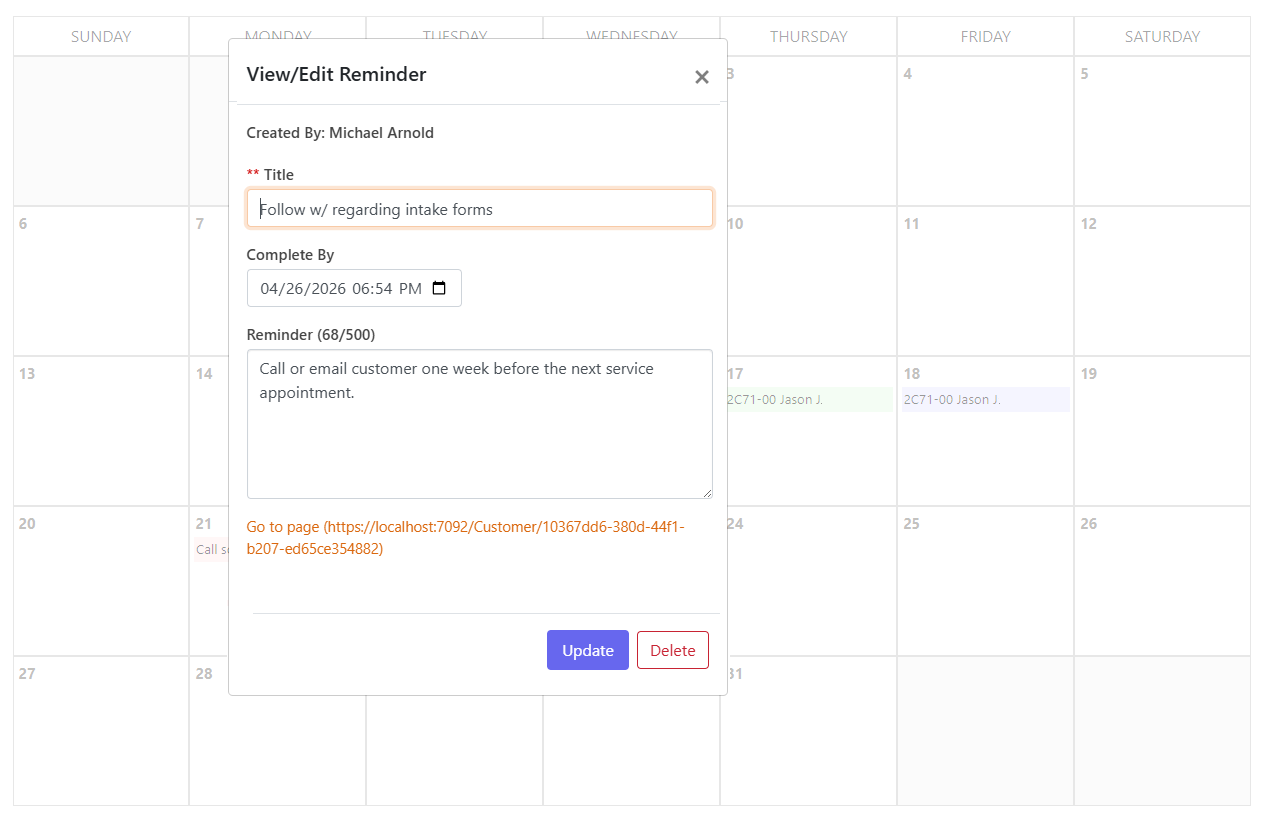
Only the staff member who creates the reminder sees it.
Reminders move visually from normal to due soon to past due without manual status changes.
The main navigation changes color when something is due soon or overdue.
A reminder crossing its due date can surface through SecureCare notifications while staff are elsewhere in the platform.
A reminder can carry a URL directly to the customer, case, program, or document it concerns.
HOW IT WORKS
SecureCare uses the main navigation and live notification layer so an overdue follow-up is visible even when the staff member is several screens away from the Reminders page.
Set the title, notes, due date, and optional related-record URL.
Keep using SecureCare without babysitting the reminder list.
Upcoming items highlight automatically as they approach their due date.
Past-due reminders surface in navigation and the live notification system.
Move the due date or remove the reminder and the alert clears across open tabs.
A CLOSER LOOK
SecureCare uses the main navigation and live notification layer so an overdue follow-up is visible even when the staff member is several screens away from the Reminders page.
KEY CAPABILITIES
Maintain reminders visible only to their owner.
Automatically distinguish normal, near-due, and overdue work.
Surface urgency without requiring staff to open the reminder page.
Push overdue awareness into the platform notification system.
Focus the list on the horizon that matters.
Use the same list controls staff already know elsewhere in SecureCare.
Jump directly from the reminder to the related work.
CONNECTED ACROSS SECURECARE
Keep the follow-up visible without turning personal task management into another shared inbox.
PEOPLE. PURPOSE. POSSIBILITIES.