Case Management
One record from intake to close.
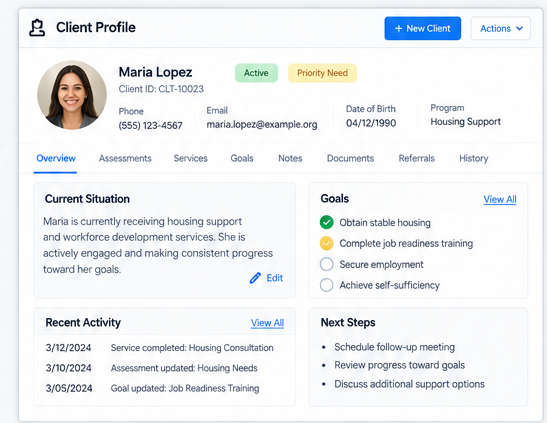
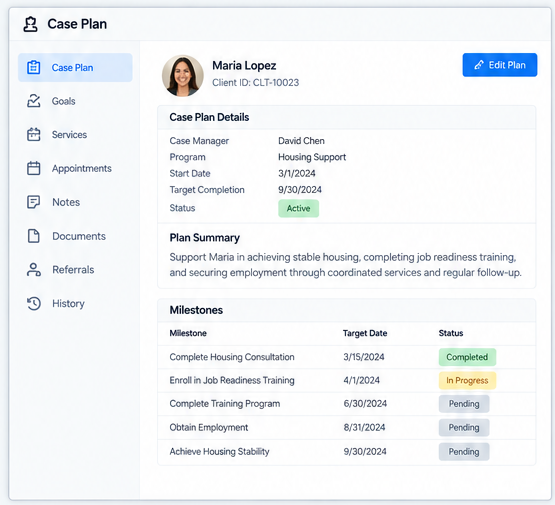
A customer arrives at your organization with a need. A case worker opens a case. Over the next days or weeks or months, the case is where the work happens — the assessments that map the customer's situation, the services scheduled and delivered, the notes the staff write, the staff time spent, the funds applied, the outcomes recorded. SecureCare's Case Management is built to be exactly that: one record where every part of the work attaches, accessible to staff with the right permissions, traceable from intake to close. The case isn't a folder of forms or a notes-app entry — it's the integration point where your assessment library, your program services, your billing, your time tracking, your grant reporting, and your outcomes converge on the customer the work is for.
-
An Open / In Progress / Closed Lifecycle
Each case follows a three-state lifecycle. Open when the case is created at intake, before the first assessment or service. In Progress while assessments are being completed and services are being delivered. Closed when the work is done. The state is the answer to "what does this case need from us right now?" Closed cases preserve everything — assessments, services, notes, time, payments — in a state that's discoverable for reports and for compliance review, but locked from accidental modification.
-
The Assessment Library — Built In
SecureCare ships with dozens of assessment types out of the box. Background data assessments for Education, Employers, Family Members, Doctor Visits, Income, Expenses, Housing, Shelter Stays, Substances, Recovery Efforts. Functional and behavioral assessments for Daily Living Difficulties, Personality Traits, Mental Wellness, Parental Strengths. And a full set of standardized clinical screening instruments — GAD-7, PHQ-9, ACEs, AUDIT, DAST-10, CAGE-AID, PC-PTSD-5, C-SSRS, SCOFF, PCL-5, MDQ, PSS-10, SPIN, ASRS, WHO-5, BASIS-24 — the same instruments used in clinical and human-services settings worldwide. Add what you need to a case in seconds; complete them as the work progresses; lock them when complete. Custom assessments your organization defines appear in the same picker.
-
Services Are Where Programs Meet Customers
A program service is the unit of work delivered to a customer through a case — an hour of counseling, a night in the shelter, a meal, a class. Services tie back to the Programs defined for your facility, inheriting their pricing rules, their approval requirements, their billing configuration. Services produce invoices through the platform's double-entry ledger; staff time logged against a service rolls into Grants as Personnel or Fringe expenditures (or matching contributions, for volunteer time). The case is where the program-customer-service-time-money chain comes together, with no re-keying between systems.
-
Schedule Services in Advance — or as You Go
For programs that deliver work on a schedule (weekly counseling, daily check-ins, monthly visits), the Schedule Services tab generates the full sequence at once — pick a frequency (once, daily, weekly, monthly), set start and end dates, choose the assigned staff member, and the platform creates the planned services on a calendar view. Each scheduled service can be converted to a delivered service when the work happens; unstarted occurrences can be removed if plans change. Single-occurrence services don't need a schedule — just create them when you deliver them. Both paths feed the same Services tab.
-
Case Notes With Real Authorship Rules
Notes are encrypted, internal, and rich-text. Each note's author is tracked — and only the author can edit or delete their own notes, even when other staff hold Edit or Delete permissions. A supervisor cannot quietly modify a case worker's documentation; an administrator cannot delete another staff member's clinical entries. The note is the staff member's voice, and the platform protects it as such. Sensitive notes can be marked for restricted visibility (author, admins, and View-Sensitive-Data holders only). Audio transcription works hands-free for staff dictating during or after a session.
-
Time on the Case, Recorded Automatically
SecureCare tracks how long each staff member spends on a case automatically — the platform notes when the case page is opened and pre-fills the time entry modal with the elapsed duration when staff navigate away. No stopwatches, no remembering to log time at end of day. Time entries can be linked to specific services within the case for granular tracking. Approved time flows directly into the grant expenditure ledger as Personnel or Fringe; volunteer time becomes a matching contribution. Reports under Reports produce the documentation auditors and funders ask for.
-
Apply Funds From Multiple Sources
Service costs don't always come out of the customer's pocket. SecureCare supports applying funds from the customer's account balance, a facility's restricted donation account, or the organization's general fund — each tracked in the ledger with a traceable link from gift to service to outcome. A donor's gift designated for shelter services flows to the customer's shelter service through Apply Funds; the gift, the application, and the service appear in the donor's giving history with full attribution. Refunds and fund returns are equally first-class. Nothing is off-ledger.
-
Built-In Per-Case Analytics
Every case has a Stats tab showing the case's activity at a glance: assessment distribution by type, service distribution by program, service distribution by status, service distribution by age, staff time over time, who's been doing what work. Case workers see whether momentum is building or stalling. Supervisors see where bottlenecks are forming. The data isn't extracted; it's already there, refreshed each time the tab loads.
-
Target Close Dates That Surface Themselves
Set a target close date when the case is created or updated. As the date approaches, the case displays a warning badge throughout the platform — on the customer record, in case lists, anywhere the case is referenced. After the date passes without closure, the badge turns to danger. Cases that need attention surface themselves, without any staff member having to remember to check. Cases without target close dates remain neutral.
-
Export the Whole Case as a ZIP
The Download button on any case exports the complete record — CSVs of the case detail, assessments, services, scheduled services, notes, time entries, and applied funds, plus any uploaded documents on the customer record. Compliance audits, grant reviews, legal requests, customer-record requests — the full picture lives behind one button. Access is enforced server-side: only staff with the appropriate case permissions can download.
-
Connected to Customers, Programs, Time Entry, Grants, and Reports
Cases live on customer records (Customers) and inherit their facility/program access controls. Services pull from Programs. Time logged here feeds Time Entry approval and Grants expenditures. Notes and documents flow through Document Storage. Stats roll up into Reports. The case is the integration point where mission-driven service delivery actually happens, with the rest of the platform providing the structure that makes that work auditable, fundable, and reportable.